Follow every learner
Move from enquiry and admission through classes, attendance, fees, assessment, promotion and alumni records without losing the learner's story.
Run admissions, fees, attendance, CBE, exams, timetables, parent communication and campus operations from one clear school operating system.
Requests are reviewed before a school workspace is created.
Real NEYO School OS interface
Fees
with M-Pesa reconciliation
CBC & 8-4-4
marks to report cards
SMS + WhatsApp
that reach the right parent
Any phone
built for 360px screens
Printable
A4 reports parents trust
In plain words
Everything below is a real workflow in the product today — not a roadmap promise. Each one replaces a paper book, a spreadsheet or a WhatsApp thread.
Record payments, issue receipts, track every learner's balance, and reconcile M-Pesa against the right student — without a paper ledger.
Read more →
Enter marks once. NEYO tabulates, grades and prints the report card — including CBC competency records — in minutes, not weeks.
Read more →
Teachers mark the register on their phone. A parent whose child is absent gets an SMS the same morning.
Read more →
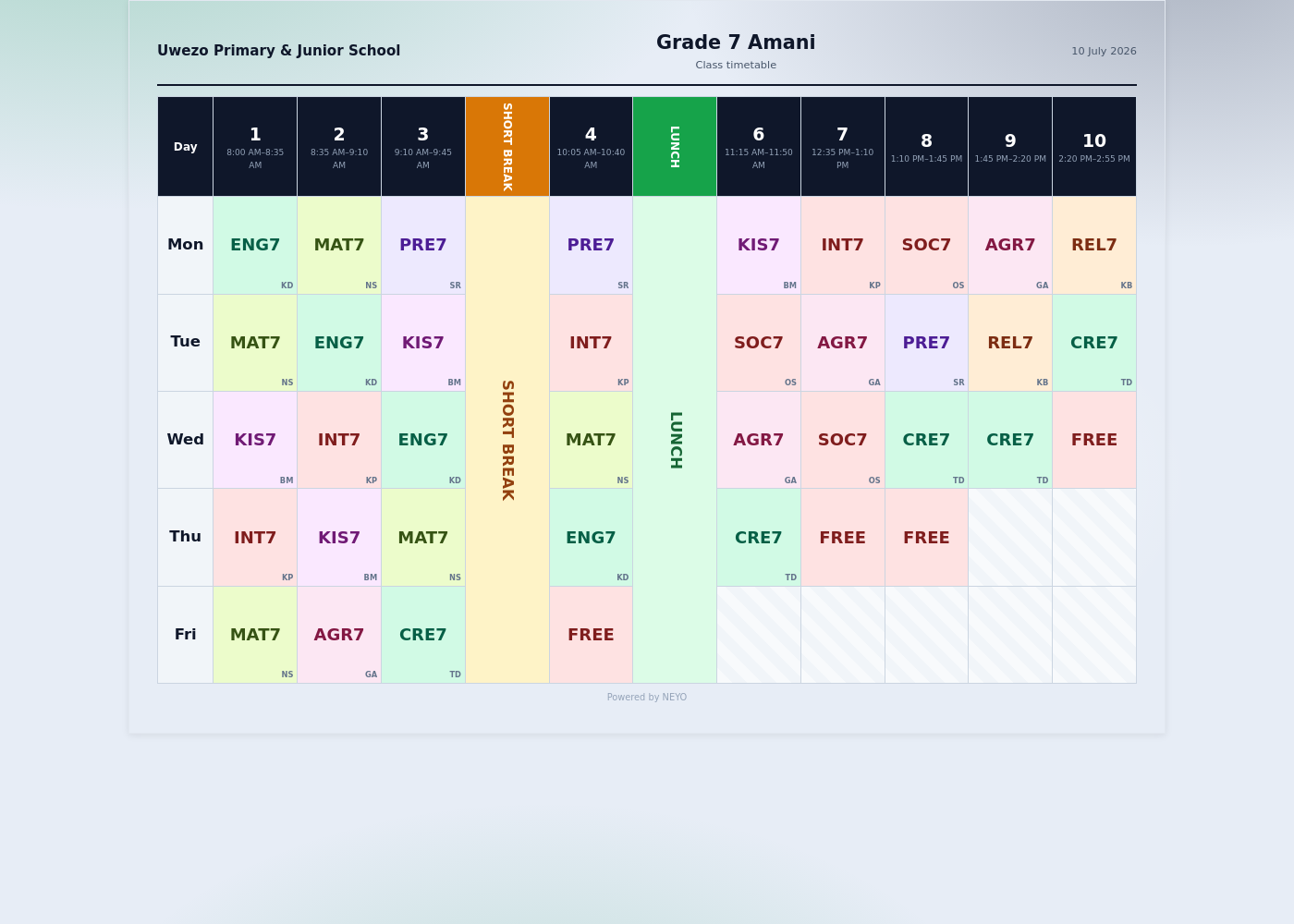
Generate a whole school's timetable — classes, venues, teacher loads, double periods — and print it per class or per teacher.
Read more →
Parents see fee balances, results, notices and school updates on their own phone, without visiting the office.
Read more →
Build exam papers from a bank of tens of thousands of questions, with marking guides, in one workflow.
One learner record from the first enquiry through classes, promotions and the alumni list — the story never splits.
Bus trips and pickup, book issuing, sickbay visits and incident records — the whole campus day in one system.
Payslips, duty rosters and staff profiles — the office's work, not just the classroom's.
Fee reminders, results and notices over the channels parents actually read — with delivery records, not guesswork.
Read more →
NEYO installs from the browser onto a phone or laptop like a normal app, and keeps working through weak network.
Who recorded, changed or approved what — visible in an audit trail your school can trust.
Built for every role
A school is not one user. NEYO gives each person the tools that match their responsibility — and nothing they should not touch.
The honest comparison
No invented percentages — just the difference a school feels, stated plainly.
| The school's work | Paper & spreadsheets | On NEYO |
|---|---|---|
| Finding a fee balance | Dig out the ledger, add it up by hand | One search — the number, the history, the receipt |
| End-of-term reports | Weeks of tabulation, then re-typing | Marks in once; report cards printed for the whole class |
| A parent asks about results | A call, a visit, a promise to check | The parent opens the result on their own phone |
| Absent learner | Nobody notices until it's too late | The parent gets an SMS that same morning |
| Building the timetable | Days of shuffling paper grids | Generated with venues and teacher loads, then adjusted |
| End-of-day cash-up | Receipt books and hope | Every payment recorded, reconciled and receipted |
| Who changed this record? | 'He said, she said' | The audit trail says who, what and when |
The whole school in view
NEYO connects the learner record, the school day and the work behind it. Leaders see the full picture while every team member receives the tools appropriate to their responsibility.
Move from enquiry and admission through classes, attendance, fees, assessment, promotion and alumni records without losing the learner's story.
Bring operational signals, approvals and reports into one place instead of waiting for disconnected files and verbal updates.
Use role-aware actions, protected settings and audit trails so the right people can act without opening every record to everyone.
One connected learner journey
The same learner should not become a new disconnected row every time they move to another school office.
Enquiry
Application
Admission
Class placement
Attendance
Fees & receipts
Assessment
Promotion & alumni
Fees and finance
Build fee structures, follow learner balances, issue receipts and reconcile payment records with an accountable trail. NEYO is designed around Kenyan money workflows and school responsibilities—not a foreign accounting template.
Illustrative school workflow
Fees overview
Billed
KES 4.82M
Allocated
KES 3.67M
Outstanding
KES 1.15M
Collection movement
Example presentation—not live school data
CBE and academic delivery
Connect curriculum design, actual teaching, classroom evidence, assessment and learner support. Keep manual and rule-based paths available throughout.
01
Organise curriculum designs, learning areas, strands and outcomes for the school context.
02
Record delivery sessions and attach evidence instead of waiting until reporting week.
03
Connect assessment signals to interventions and follow-up for the individual learner.
Deterministic, reviewable timetable output
Senior School and timetabling
NEYO's deterministic timetable engine checks the real constraints before publication. It never silently changes learner choices and never hides unplaced lessons.
Beyond the classroom
Bring daily services and resources closer to the learner record while preserving clear ownership for each department.
Catalogue, copy-level loans, QR and barcode labels, returns and due-date policy.
Routes, vehicles, stops, assigned learners and operational transport records.
Restricted medical records, visits, allergies, medication and learner support.
Cafeteria, hostel, inventory, uniforms, activities and resource workflows.
Print scannable library labels, school documents and clear A4 timetables. NEYO is designed to support the work people actually carry out—not only dashboards.
One system, different responsibilities
A Headteacher, bursar, teacher, librarian, parent and learner should not receive the same controls. NEYO brings them into one system without pretending they have the same job.
A connected school day
NEYO is designed around the moments each person needs to act—not around one oversized dashboard handed to everyone.
For school leadership
Follow admissions, collections, attendance, academic delivery and operational approvals without asking five departments for five different files.
For teachers and staff
Move quickly between classes, attendance, lesson delivery, assessment, communication and assigned responsibilities from the tools your role permits.
For parents and learners
Give families an authorised view of the records the school chooses to share, without making routine questions another queue at the school office.
Security without theatre
NEYO should earn trust through verifiable controls, careful onboarding and honest policies—not badges or certifications it has not earned.
Approved connections
School-authorised API keys and signed webhooks provide a controlled path for future device, accounting, transport or specialist integrations. Access stays scoped to the school and the permissions it approves.
Founder of NEYO
Elvis Malimbe
University of Nairobi
Project Planning & Management
Built in Nairobi
NEYO was founded by Elvis Malimbe, a 19-year-old Kenyan founder and University of Nairobi student studying Project Planning and Management.
He began building around a simple observation: important school work is often divided across paper files, spreadsheets, disconnected applications and knowledge held by individual staff members. The result is repeated work, delayed decisions and a learner story that is difficult to follow from admission to graduation.
NEYO School OS is being built to connect those operations around the realities of Kenyan schools—from CBE delivery and Senior School choices to fees, timetables, parent access and the everyday campus.
The building principle
Build with schools, test real workflows and improve from evidence—not appearances.
A responsible rollout
A school operating system should not be switched on like a disposable app. NEYO's rollout path is designed around understanding, verification and role-by-role readiness.
Map the school's levels, terms, responsibilities and current problems.
Configure structures and review data before committing records.
Train by role and test selected workflows with accountable owners.
Confirm readiness, move deliberately and support the school after go-live.
Pilot access and pricing
NEYO is preparing for approved pilot schools. A demo request is free and creates no charge. Pricing and rollout scope are discussed after understanding the school's size, selected operating model, data preparation and support needs.
The next step
Setting up yourself takes about ten minutes and starts a free trial. A guided demo is reviewed by a person first, so it is not immediate.
Questions school leaders ask
NEYO School OS is being prepared for Kenyan primary, junior and senior schools. Each approved school is configured around its real classes, terms, curriculum and staff responsibilities.
Yes. NEYO includes CBE curriculum, delivery, evidence, assessment and intervention workflows alongside conventional marks, exams and school reporting. The exact setup depends on the levels a school operates.
NEYO includes controlled import workflows for learners, guardians, staff, teachers and academic structures. Migration should be mapped, reviewed and verified before records are committed.
NEYO is a web platform designed for phones, tablets and computers. The team continues to test priority workflows at 360px so school staff and families can use smaller devices.
Submit the request form with a valid Kenyan contact. It enters a pending review queue. NEYO does not automatically create a school or expose a shared public account before approval.
A demo request is free and creates no charge. Pilot pricing and rollout scope are explained after NEYO understands the school's size, operating model, data preparation and support needs. The school should receive the agreed KES price before activation.
No. NEYO timetable generation uses deterministic constraints, stable ordering, graph methods and backtracking. Generation is separate from review, approval and publication.
No. Every core school workflow must remain usable without Bundi. Bundi is an optional future assistance layer, not a requirement for running a school.
A school's authorised administrator can manage restricted API keys and webhooks from Settings → Developer. Integrations remain permission-controlled and should never receive direct database access.
Yes. Fee payments made through M-Pesa are recorded against the correct learner, receipts are issued, and the balance updates immediately — the bursar reconciles inside NEYO instead of matching statements by hand.
Yes — SMS, WhatsApp and email. Fee reminders, absence alerts, results notices and school announcements go out over the channel each parent actually reads, and the school sees a delivery record for every message instead of guessing.
NEYO is built for the phones and networks Kenyan schools actually have. It installs like an app from the browser, and work done while the network is down — a saved mark, a recorded payment — is queued on the device and syncs the moment the connection returns.
Every school's records are isolated from every other school's, access is controlled per responsibility (a teacher sees their classes, not the bursar's ledgers), credentials are encrypted, and every sensitive action leaves an audit trail showing who did what and when.
No. A parent account can be linked to each school their children attend, and they switch between schools inside NEYO without signing in twice.
Setup is assisted, not self-service: NEYO works with the school to import learners, guardians, staff and fee structures from existing records, and the school confirms the data before anything goes live. The exact timeline depends on how ready the school's records are.
Inside NEYO School OS
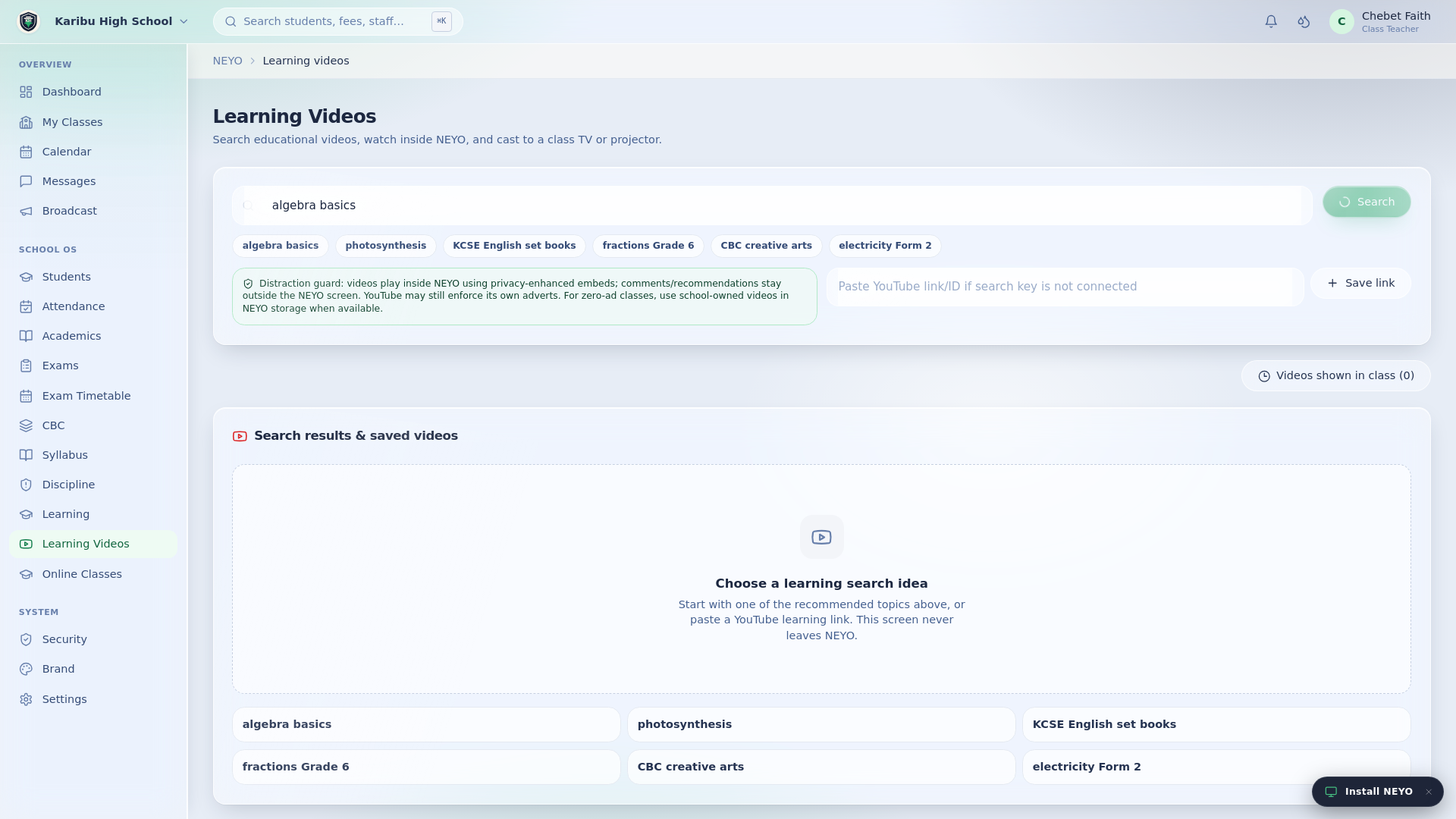
Founder-approved screenshots and media update here without changing the website code.
A real print-ready school timetable workspace.
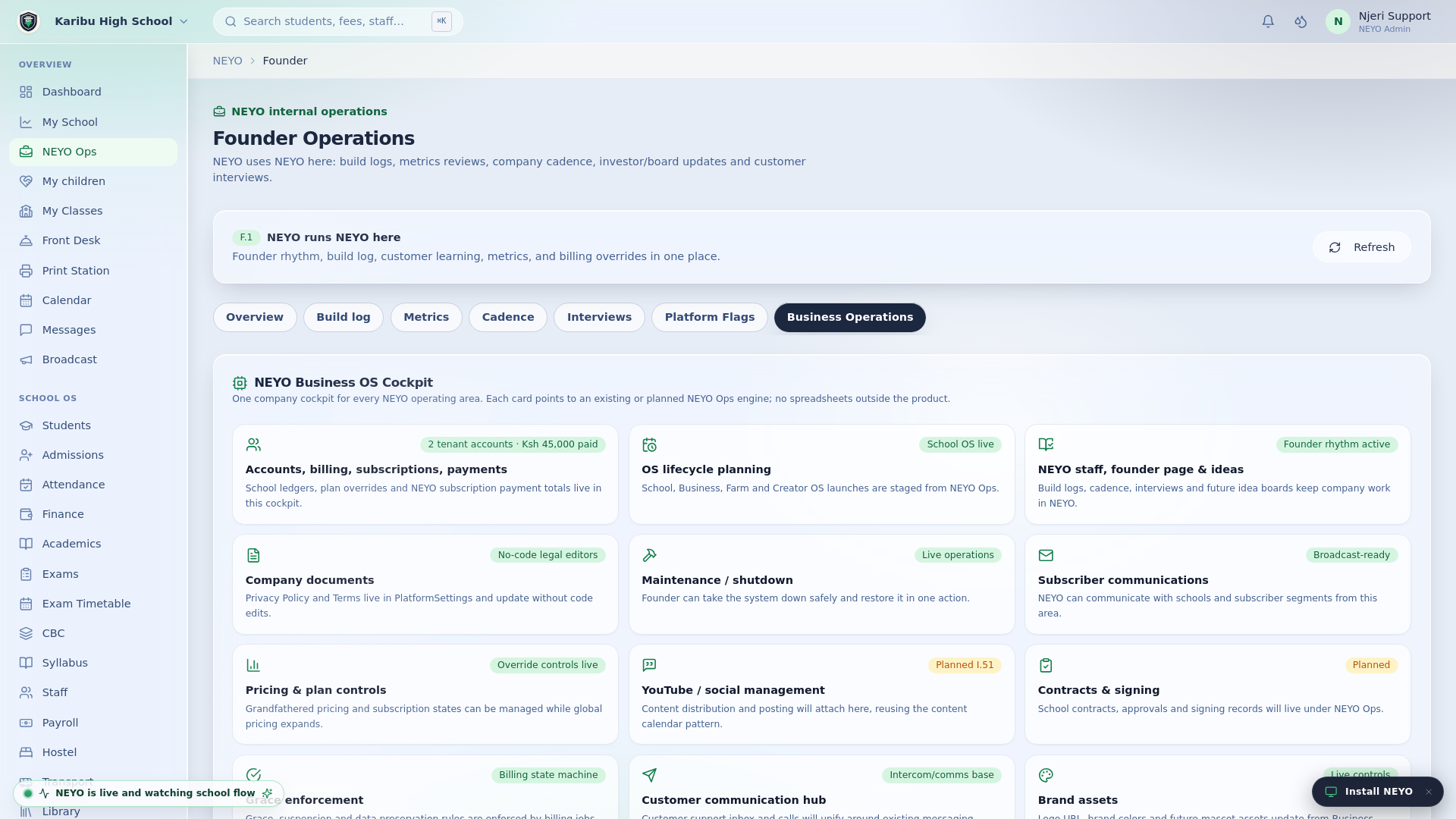
NEYO runs NEYO inside NEYO.
Teachers can search, watch and cast lessons.
School OS is the focus
Tell us about your school. NEYO will review the request and arrange the most appropriate demonstration or follow-up.
What NEYO may build next
Farm OS, Business OS and Creator OS remain future product directions. School OS is the current focus.